Before the Bow Goes On: Prepping a Retired Phone for Its Second Owner

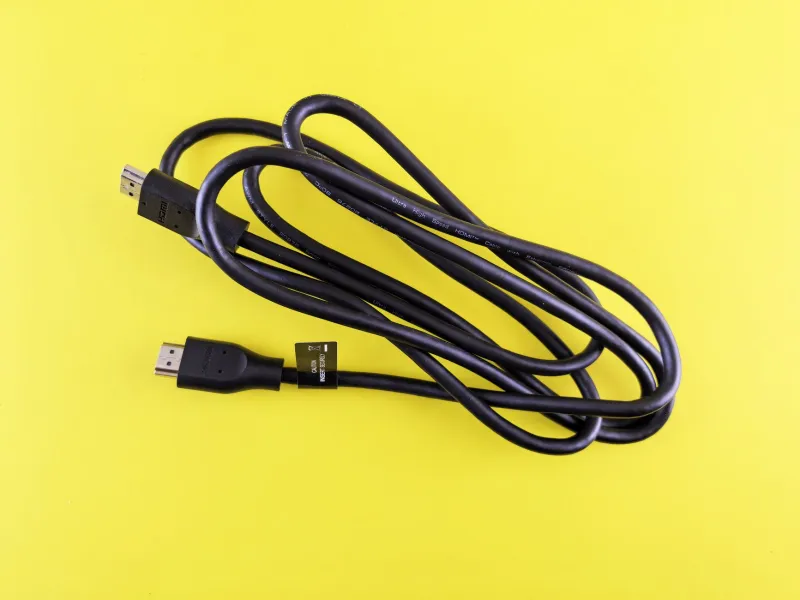
Photo: Achiri Bitamsimli, CC0, via Wikimedia Commons
Every January, UK drawers fill up with perfectly decent phones, tablets and laptops that were quietly replaced on Christmas morning. The intention behind passing one on is almost always good — a nephew, a parent, a mate still limping along on a cracked handset. The execution is where it goes wrong. A well-meant regift can arrive locked to an account nobody remembers, with a battery that gives up at 30%, or with the previous owner's banking app still signed in.
None of that needs a repair shop. It needs half an hour, a charger and a bit of honesty. Here's the routine we'd run through before anything goes into a gift bag.
Start with the locks, not the polish
The single biggest reason a hand-me-down becomes a doorstep apology is an account lock. Apple's Activation Lock, Google's Factory Reset Protection and Microsoft's device encryption all do exactly what they were built to do: stop a stranger using hardware that isn't theirs. The snag is that they also stop the new owner when the old one forgets.
So sign out properly before you wipe anything. On an iPhone, that means switching off Find My first, not after erasing. On Android, remove the Google account in Settings rather than just deleting the device from your account list on the web. On a Windows laptop, check whether the drive is BitLocker-encrypted and save or remove the recovery key, or the recipient inherits a very tidy brick.
If the device is managed by a school or an employer, stop now. Those locks survive a factory reset, and the new owner will need the IT department that set them up — which is a conversation nobody wants on Boxing Day.
Prove the wipe instead of promising it
'Don't worry, I've wiped it' is the tech equivalent of 'the cheque's in the post'. Do the reset in front of the person receiving the device, or photograph the setup screen afterwards as evidence.
Use the full factory reset from the settings menu, not a quick erase that leaves the account attached. Then walk through the first-boot screens together until the device is asking for a fresh account, a new PIN and a language. That's your proof, and it takes about four minutes.
Two things people forget: pull the SIM and any microSD card before you start, and check that eSIMs are removed. A spare SIM rattling around in a gifted phone is a small privacy leak and, potentially, a bill with your name on it.
Say the battery number out loud
Battery health isn't a vague feeling, it's a figure. iPhones show Maximum Capacity under Settings, Battery, Battery Health. Plenty of Androids report a cycle count or design capacity, and apps such as AccuBattery fill in the gaps. Anything in the high 80s or above is a genuinely useful gift. The mid-70s means the new owner will be hunting for a socket by mid-afternoon.
Quote the number before they open it. If it's low, either knock the value off, offer to cover a replacement battery, or be straight that it's a keep-it-plugged-in-at-the-desk device. A battery swap is far cheaper than a recipient quietly concluding they've been handed a dud.
While you're in there, shine a torch into the charging port. A phone that only charges at certain angles is a repair bill waiting to happen, and it's usually a two-minute clean rather than a workshop job.
The charger question nobody asks
We've spent years removing chargers from boxes, and it shows. Before handing anything over, check what it actually needs: USB-C, Lightning, a 30W PD brick, or a chunky barrel plug on an older laptop.
Then check the cable in the box is a data-capable one and not a charge-only freebie from a conference stand. And please don't pass on a frayed cable because it still works — that's gifting someone a small fire risk. If the device needs an unusually high-wattage adapter and you're keeping it, say so plainly. Being told on the day that the laptop wants a specific 65W supply beats discovering it when the battery hits zero.
Disclose the condition, dents and all
Scratches are fine. Surprises aren't. Run through the honest list:
- Any screen cracks, however small, and whether touch still works at the edges.
- Repair history — a screen replacement, a battery swap, a third-party fix that never quite sat flush.
- Water exposure, even if the device recovered.
- Buttons, speakers, cameras and microphone, tested one at a time.
- Whether it's still in warranty, and whether that warranty actually transfers (many don't).
Write it on a scrap of paper if that's easier. A short note listing what's wrong does more for the relationship than a spotless sales pitch.
Pack the right things, leave the wrong ones out
Include the charger, the cable, the case if you have one and the SIM tool. Include proof of purchase if you can find it — it's the difference between a warranty claim and a shrug at the counter.
Leave out your bank cards, your old photos, work logins and any cloud account still signed in at system level. Check the photos app, the downloads folder and the browser's saved passwords before you close the box.
For a laptop, decide whether you're handing over the original install with your files gone, or a clean reinstall. Clean is safer. If you're not confident doing it, most independent repair shops will wipe and reinstall for a modest fee.
Do the first setup together
Watch them sign in with their own account, set their own PIN and confirm the device is theirs. If it's a child's first phone, sort parental controls and a sensible data plan before the wrapping paper is cleared — far easier than retrofitting restrictions a fortnight later.
And if any check fails — a locked account, a swollen battery, a screen that's more crack than glass — don't pass it on. Get a quote from a local shop or a repair café, or recycle it properly through a council site or a retailer's take-back scheme. A gadget that's beyond saving is still worth more as parts than as a disappointing gift.