The Address-Specific Glitch: Seven Checks Before You Blame the Gadget

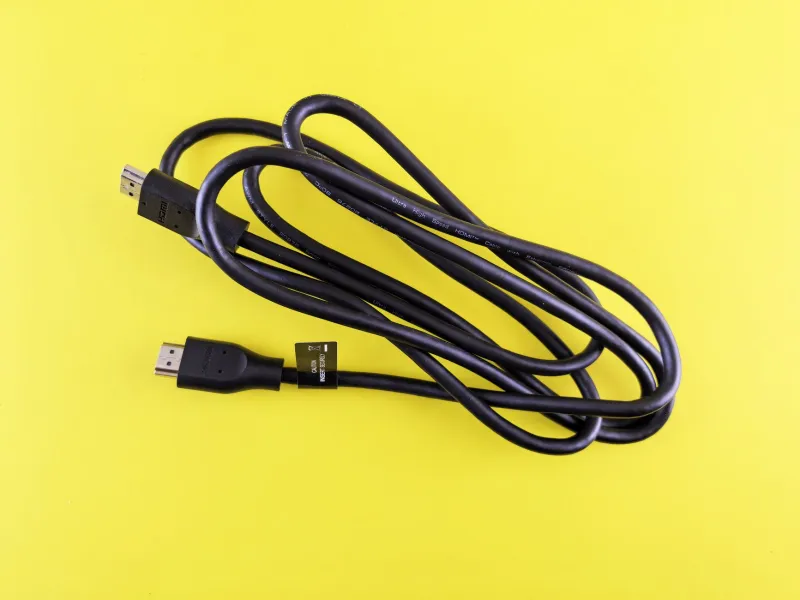
Photo: Ivar Leidus, CC BY-SA 3.0, via Wikimedia Commons
There’s a particular kind of tech frustration that only shows up in one building. Your laptop is a saint at your mate’s flat in Leeds, your smart plug behaves impeccably at your parents’ bungalow in Devon, and your Wi-Fi doorbell is a model citizen until it is installed above your own front door. Then the symptoms begin: dropouts, dead sockets, random reboots, or a gadget that simply refuses to do its job.
It is tempting to conclude that the device is faulty. Sometimes it is. But a gadget that fails in exactly one location is giving you a clue. Before you post it off for repair or hand it to a local shop, it is worth doing a calm, methodical check of the house itself. The aim is not to become an electrician or a network engineer overnight. It is to gather enough evidence to know whether you are dealing with a device fault, an environmental quirk, or a simple setup problem that follows the room rather than the gadget.
Start with the socket, not the gadget
UK homes have a lot of sockets, and not all of them are equal. A switched socket might be off at the wall. An extension lead might be old, coiled tightly under a sofa, or carrying more load than it should. A plug’s fuse might be loose, or the plug itself might be a cheap moulded type that has seen better days.
Try the gadget in a different socket in the same room, then a socket in another room. If it springs to life elsewhere, you have narrowed the problem to the original socket or whatever is plugged in around it. Do not start opening sockets or rewiring plugs unless you are competent to do so. A plug-in socket tester is a cheap, sensible first step, and a qualified electrician is the right person to investigate anything that looks loose, scorched, or intermittent.
Also check the humble extension lead. A coiled lead can get warm, a daisy chain of adaptors can introduce wobble, and a surge protector that has done its job once may not be doing it now. Swap the lead for a known-good one before you blame the device.
Map the Wi-Fi, not just the signal bars
If the gadget is wireless, “it works at Nan’s” may simply mean Nan’s house has less Wi-Fi congestion. UK streets are packed with routers, baby monitors, doorbells, smart meters, and neighbours’ televisions all competing for airtime. A device that is fine on a quiet street can struggle in a flat above a busy café or in a Victorian terrace where every wall seems to have been built from signal-blocking brick.
Use a Wi-Fi analyser app on your phone to look at channel congestion, especially on the 2.4GHz band. Move the gadget closer to the router as a test. If it behaves perfectly at two metres and falls apart at ten, the device may be fine and the placement is the problem. Try a different channel on the router, or use a wired connection if the gadget supports it. For a doorbell or camera, consider whether the signal has to pass through a foil-backed insulation board, a metal door, or a cupboard full of Christmas decorations.
Listen for electrical noise
Some gadgets are sensitive to electrical noise from other appliances. A fridge compressor kicking in, a microwave in use, a washing machine on a spin cycle, or a dimmer switch can all introduce interference. This is especially common with audio gear, older baby monitors, and some smart home devices.
Try a simple isolation test. Unplug or switch off likely culprits one at a time and see whether the symptom changes. Do not go poking around inside appliances. If you suspect a faulty appliance or wiring, stop and get professional advice. The goal here is pattern-spotting, not DIY electrical work.
Check temperature and humidity
UK homes can be cold, damp, or surprisingly hot in small rooms. A gadget in a conservatory may overheat in summer and suffer condensation in winter. A device in a cupboard under the stairs may be fine in October and unhappy in January. Battery-powered gadgets can misbehave in the cold, and some screens become sluggish or flickery.
Move the gadget to a different room for a day. If the fault disappears, the original environment is part of the story. Look for radiators, drafts, damp patches, and enclosed spaces with poor airflow. A small thermometer and humidity monitor is a useful addition to a travel test kit.
Use a travel test kit
You do not need a lab. A small bag with a known-good phone charger, a short Ethernet cable, a power bank, a plug-in socket tester, and a notebook is enough for most home diagnosis. Add a Wi-Fi analyser app and a simple label maker or sticky notes so you can record what you tried.
The notebook matters more than it sounds. Write down the date, the room, the socket, the symptom, and what changed. A pattern often emerges that you would otherwise miss.
Isolate the room, then the house
If the gadget fails in one room but works elsewhere in the same house, the room is the suspect. If it fails everywhere in the house but works at a neighbour’s, the house is the suspect. If it fails everywhere, the gadget is the suspect. That simple decision tree will save you money.
Before booking a repair, ask yourself three questions. Does the gadget work on battery power alone? Does it work with a different cable or power supply? Does it work in a different building? If the answer to the last question is yes, you are probably dealing with a local environment issue rather than a dead device.
Know when to stop and call someone
If you smell burning, see scorch marks, notice a socket that crackles, or have a consumer unit that trips when a particular appliance is used, stop. That is not a gadget mystery; that is an electrical safety issue. Use a qualified electrician. For broadband and Wi-Fi problems that persist after basic checks, your ISP or a reputable local technician can help.
The ‘works at Nan’s’ mystery is rarely magical. It is usually a socket, a signal, a temperature, or a lead. Check those first, keep notes, and you will know whether to repair the gadget or simply change the room it lives in.