New Telly, Silent Soundbar: A Calm HDMI Handshake Hunt
It’s a very British sort of Saturday morning: the new TV is out of the box, the old soundbar has been dusted off, and the kettle is doing its thing. Then the picture appears, beautiful, and the sound is… nothing. Not a crackle, not a hiss. Just silent streaming apps and a soundbar looking smug.
The temptation is to assume the TV is faulty or the soundbar has finally given up. Usually neither is true. A new TV and an older soundbar are two devices from different eras trying to shake hands over HDMI. Sometimes they need a translator, sometimes a different cable, and occasionally a £25 audio extractor is the grown-up answer. Here’s the calm route.
1. Check the holes before you check the settings
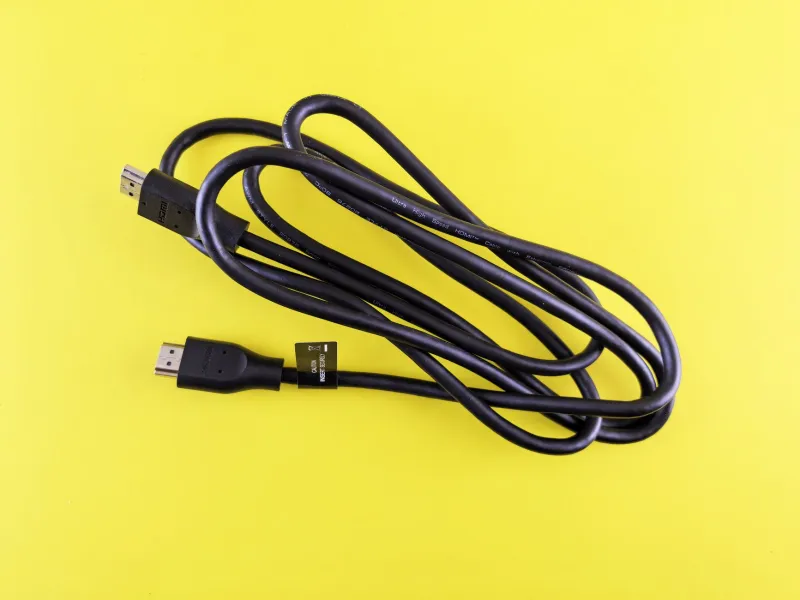
Start at the back of the TV and the soundbar. You want the HDMI port marked ARC or eARC on the TV, and the HDMI port marked ARC or TV on the soundbar. If the soundbar only has HDMI in, it may not support audio return at all, so look for an optical socket instead. Push every cable in properly; HDMI cables can feel seated while being half a millimetre shy. Try a cable you know works rather than the ancient one from the spare drawer. If you are swapping cables, switch both devices off at the plug first. It sounds fussy, but HDMI handshakes are easier to reset than to argue with.
2. ARC and eARC are not the same thing
ARC lets the TV send sound back down the HDMI cable to the soundbar. eARC is the newer, higher-bandwidth version. An older soundbar is likely ARC-only, while a new TV may default to eARC or Auto. If the two don’t agree, you get a lovely picture and silence. Go into the TV’s sound settings and look for eARC. If there is an option to turn it off, try that. Then set the digital audio output to PCM first. If sound appears, you can try Dolby Digital later. Don’t chase Dolby Atmos on a soundbar that predates it; the TV may be sending a format the bar cannot decode.
3. CEC is the bossy handshake in the room
CEC is the feature that lets one remote turn on the soundbar and adjust volume. Each brand calls it something different: Anynet+, SimpLink, Bravia Sync, Viera Link, EasyLink. If CEC is switched off on either device, the TV may not hand audio over automatically. Turn it on for both, then power-cycle. If CEC is on but causes odd input switching, leave it enabled for audio and look for separate auto-power options. CEC is useful, but it is not a diplomat. Sometimes it needs a firm reset rather than a negotiation.
4. The TV may still think it has its own speakers
A surprisingly common cause of mute streaming apps is the TV’s audio output still being set to TV speakers. Find the sound menu and choose Audio System, HDMI ARC or whatever the equivalent is on your set. On the soundbar, check the input source: it may be sitting on Bluetooth or Optical while you expect HDMI. If the TV menus beep but Netflix is silent, the problem is likely the output format or the app, not the cable. Set the TV to PCM and test a normal broadcast channel before returning to streaming apps.
5. Optical is your free sanity check
If the TV has an optical output, try it. An optical cable won’t give you CEC or TV-remote volume control on most older bars, but it proves whether the soundbar works. Set the TV to optical output and PCM, select Optical on the soundbar, and play something. If sound arrives, the soundbar and its speakers are fine; the HDMI handshake is the suspect. If optical is silent too, check the soundbar’s power, input and volume before spending anything on HDMI gadgets.
6. Power-cycle properly, then think about firmware
Turn off the TV and soundbar at the wall, unplug both for a full minute, then plug the soundbar in first and the TV second. Check for firmware updates on both devices. A new TV may update over the internet; an older soundbar may need a USB stick and a trip to the manufacturer’s support page. After updating, reset the soundbar to factory settings if the manual makes it straightforward, then set up ARC again. Avoid a full TV factory reset until you have tried the simpler steps; it rarely fixes a handshake and always costs you your settings.
7. When a cheap audio extractor beats a repair bill
If the TV has no optical output, the soundbar is optical-only, or the HDMI handshake refuses to behave, an HDMI audio extractor can be the practical fix. It sits between your streaming stick or console and the TV, pulling the audio out to optical or 3.5mm for the soundbar. Expect to pay £20 to £40. Check it supports the video format you need, including 4K pass-through if that matters, and that it has its own power supply. It is not elegant, but it is often cheaper than a repair and less wasteful than binning a soundbar that still sounds decent.
Work through these steps in order and make a note of what changes. If you do end up booking a repair, tell the shop what you have already tried: new TV, old soundbar, ARC and optical tested. That saves everyone time. At The Fix Online, we would rather you spent ten minutes on cables and settings than £80 on a diagnosis for a handshake that just needed a different input.